
Size & Position
The SIZE & POSITION group controls how this element is sized and where it sits in its parent.
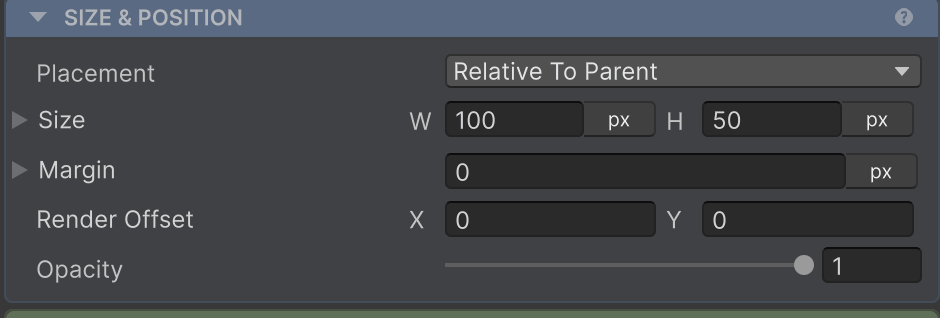
| Property | What it does | Page |
|---|---|---|
| Placement | How this element relates to its parent’s flow (Relative To Parent / Absolute / CoverParent / Ignored / Collapsed) | Absolute |
| Width / Height | Pick a sizing mode per axis - Pixels, Hug, Fill, Percentage, AspectRatio, TextSize | Sizing |
| Min / Max | Clamp the resolved size on either axis | Sizing → Min and Max |
| Absolute Position | For Placement.Absolute: Top / Bottom / Left / Right edge offsets | Absolute |
| Margin | Outset between this element and its siblings | Margin |
| Render Offset | Visual-only translation applied after layout - for shake/hover animations | Render Offset |
| Opacity | Fades this element and its children (0–1) without affecting layout | - |
| Grid Item | When parent is Grid: explicit Column/Row, spans, per-item alignment | Grid → Grid item |
| Linear Item | When parent is Row/Column: per-child cross-axis alignment override | Row & Column → Linear item |
Opacity is purely a convenience: AutoLayout drives a CanvasGroup on the GameObject under the hood, so the element (and everything under it) fades together - you don’t have to add or wire up the CanvasGroup yourself. The element keeps its space in the layout; to drop it from flow instead, set Placement → Collapsed.
For how children are arranged, see Child Layout.