
ListView
Virtualized scrollable list with object pooling. Supports vertical/horizontal direction, multiple prefab types, and zero-GC generics via VirtualListView<T>.
Inspector Setup
- Create a container with
AutoLayout. AutoLayoutScrollViewandListVieware added automatically by the builder. For manual setup, add both.- Register prefabs in the Prefabs list.
- Set item count and bind data via code.
| Field | Type | Default | Description |
|---|---|---|---|
| Direction | ListViewDirection | Vertical | Scroll axis |
| Gap | float | 0 | Gap between items |
| Virtualized | bool | true | Enable object pooling |
| Default Pool Capacity | int | 10 | Initial pool size per type |
| Overscan Count | int | 2 | Extra items rendered offscreen |
| Prefabs | List | - | Prefab registrations (typeId + prefab + capacity) |
Code Usage
Building a ListView
Build it visually in the Inspector (see Inspector Setup above), or construct it from code with the Code API.
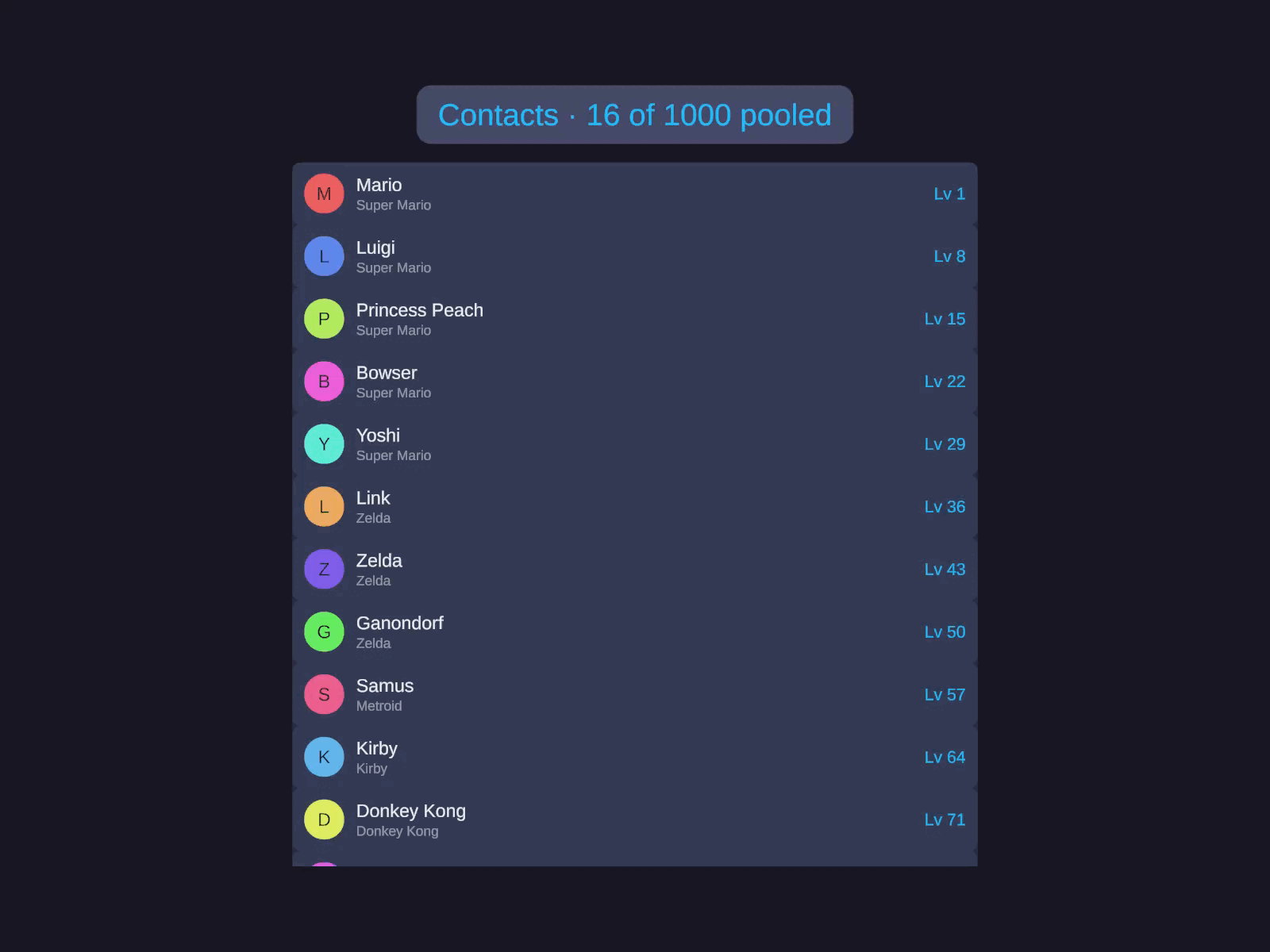
Virtualized list
Virtualized scrollable list with object pooling. Supports vertical/horizontal direction and multiple prefab types.
Under List Layout, set the Direction (Horizontal / Vertical) and Gap. Expand Prefabs and add your cell prefab under Registered Prefabs. Tune Pooling (Default Pool Capacity, Overscan Count) if needed. Items themselves are supplied from code (see the Code tab).
var lv = go.GetComponent<ListView>();lv.Direction = ListViewDirection.Vertical;lv.Gap = 8f;lv.GetItemCallback = i => data[i];lv.BindItemCallback = (go, index, data) =>{ go.GetComponent<MyItemView>().Bind((MyData)data);};lv.ItemCount = data.Count;lv.RefreshItems();Multi-Type (Mixed Cells)
Register multiple prefab types and route each index to a type via GetItemTypeCallback:
var lv = go.GetComponent<ListView>();lv.RegisterPrefab(0, contentPrefab, 15); // Type 0: content rowslv.RegisterPrefab(1, headerPrefab, 5); // Type 1: section headerslv.GetItemCallback = i => flatList[i].Data;lv.GetItemTypeCallback = i => flatList[i].IsHeader ? 1 : 0;lv.BindItemCallback = (go, index, data) =>{ if (flatList[index].IsHeader) go.GetComponentInChildren<TMP_Text>().text = (string)data; else go.GetComponent<MyItemView>().Bind((MyData)data);};lv.ItemCount = flatList.Count;lv.RefreshItems();Quick Setup (Convenience)
m_ListView.Setup( prefab: itemPrefab, count: data.Count, bindItem: (go, index, data) => { /* bind */ }, getData: i => data[i]);Runtime Updates
m_ListView.ItemCount = newData.Count;m_ListView.RefreshItems(); // Deferred refreshm_ListView.RefreshItemsImmediate(); // Synchronousm_ListView.RefreshItem(5); // Single itemm_ListView.ScrollToItem(50, ScrollAlignment.Center); // Scroll to itemm_ListView.InvalidateItemSize(10); // Recalculate item sizem_ListView.Clear(); // Remove allVirtualListView<T> (Zero-GC Generic)
For struct data or when you need to avoid boxing:
public class MyScreen : MonoBehaviour{    private VirtualListView<PlayerData> m_List;
    void Start()    {        // VirtualListView<T> is added via AddComponent        m_List = gameObject.AddComponent<VirtualListView<PlayerData>>();        m_List.GetItemCallback = i => m_Players[i];         // No boxing        m_List.BindItemCallback = (go, i, data) =>          // Typed data        {            go.GetComponent<PlayerView>().Bind(data);        };        m_List.ItemCount = m_Players.Count;        m_List.RefreshItems();    }}
IListViewItem<T> Interface
Implement on prefab root for auto-binding without callbacks:
public class PlayerView : MonoBehaviour, IListViewItem<PlayerData>{    public void Bind(int index, PlayerData data)    {        // Bind typed data - no boxing, no casting    }
    public void Unbind() { }}
Methods
| Method | Description |
|---|---|
RegisterPrefab(int typeId, GameObject prefab, int capacity) | Register a prefab type |
Setup(GameObject prefab, int count, Action bind, Func getData) | Quick setup |
RefreshItems() | Deferred refresh |
RefreshItemsImmediate() | Synchronous refresh |
RefreshItem(int index) | Refresh single item |
ScrollToItem(int index, ScrollAlignment alignment, bool animated) | Scroll to item |
InvalidateItemSize(int index) | Recalculate item height |
InvalidateItemSizesFrom(int startIndex) | Recalculate from index onward |
Clear() | Remove all items |
Properties
| Property | Type | Description |
|---|---|---|
ItemCount | int | Total item count (set to trigger refresh) |
Direction | ListViewDirection | Vertical or Horizontal |
Gap | float | Gap between items |
OverscanCount | int | Extra items rendered offscreen |
VisibleCount | int | Currently rendered items |
CurrentRange | VisibleRange | Start/end indices of visible items |
Virtualized | bool | Pool mode toggle |
ScrollView | AutoLayoutScrollView | Internal scroll view |
Callbacks
| Callback | Signature | Description |
|---|---|---|
GetItemCallback | Func<int, object> | Return data for index |
GetItemTypeCallback | Func<int, int> | Return prefab type for index |
BindItemCallback | Action<GameObject, int, object> | Bind data to item |
UnbindItemCallback | Action<GameObject, int> | Cleanup on recycle |
Interfaces
IListViewItem- Implement on prefab for auto-binding.IListViewItem<T>- Zero-GC typed binding (use withVirtualListView<T>).IListViewDelegate- Full data source control (overrides callbacks).
Builder API
| Method | Description |
|---|---|
.Prefab(GameObject, int) | Register type-0 prefab |
.Prefab(int, GameObject, int) | Register typed prefab |
.PoolCapacity(int) | Set default pool size |
.Overscan(int) | Set overscan count |
.Virtualized(bool) | Enable/disable pooling |
.ItemCount(int) | Set total items |
.Delegate(IListViewDelegate) | Set delegate |
.GetItem(Func<int, object>) | Set data callback |
.GetItemType(Func<int, int>) | Set type callback |
.BindItem(Action<GameObject, int, object>) | Set bind callback |
.UnbindItem(Action<GameObject, int>) | Set unbind callback |
.Capture(Action<ListView>) | Capture reference (e.g. .Capture(lv => m_List = lv)) |
Keyboard Navigation
ListView implements IMoveHandler for arrow key / gamepad navigation. Click the list to select it, then use arrow keys to move focus.
| Direction | Vertical List | Horizontal List |
|---|---|---|
| Up / Left | Previous item | Previous item |
| Down / Right | Next item | Next item |
| Cross-axis | Not consumed (passes through) | Not consumed |
// Listen for focus changesm_ListView.OnFocusedIndexChanged += index =>{    Debug.Log($"Focused: {index}");};
// Set focus programmaticallym_ListView.FocusedIndex = 5;| Property / Event | Type | Description |
|---|---|---|
FocusedIndex | int | Currently focused item (-1 = none) |
OnFocusedIndexChanged | Action<int> | Fired when focused index changes |
Notes
Virtualized = falseinstantiates all items upfront. Use for small, fixed-size lists.- Overscan renders extra items offscreen to prevent flicker during fast scrolling.
- Pool items are marked
IsVirtualized = trueinternally to optimize enable/disable cycles. - For best performance with struct data, use
VirtualListView<T>to avoid boxing allocations.