
Child Layout
The CHILD LAYOUT group controls how the children of this element are arranged.
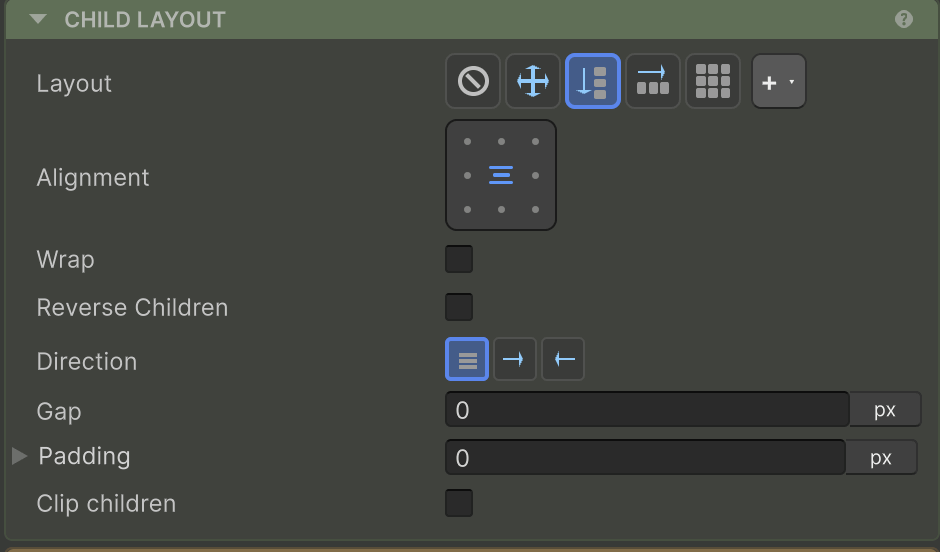
Layout types
The Layout Type selector picks the algorithm:
| Type | Behaviour | Page |
|---|---|---|
| None | No arrangement - children manage their own positioning. | - |
| Row | Horizontal flow with main/cross alignment, gap, wrap. | Row & Column |
| Column | Vertical flow, same controls as Row. | Row & Column |
| Grid | CSS-grid-style 2D - tracks, spans, auto-fit, dense flow. | Grid |
| Absolute | Children all use absolute positioning by default. | Absolute |
| Custom | Plug in your own algorithm (Ring, radial, hex, …). | Custom Layouts |
See Layout Type for the picker reference.
Spacing & clipping (any layout type)
| Property | What it does | Page |
|---|---|---|
| Padding | Inset between this element’s bounds and its children’s content area | Padding |
| Clip children | Mask children that exceed the bounds (adds a RectMask2D) | Clipping |
For how this element is sized and placed, see Size & Position.